
Blog
Google My Business: Boosting Restaurant Visibility Online
Google My Business helps restaurants attract local diners, manage reviews, and appear in search. Learn setup, benefits, and essential tips.

Google My Business: Boosting Restaurant Visibility Online
Standing out in a crowded city like New York or Los Angeles is not just about great food anymore. When local diners search for their next meal, your restaurant’s Google My Business profile is often their first impression. Keeping your listing complete and accurate is vital, since it puts your hours, menu, and reviews front and center where it matters most. This guide walks you through how Google My Business shapes online visibility and what steps get real results for busy owners.
Table of Contents
- Defining Google My Business For Restaurants
- Core Features And How Listings Work
- Claiming, Verifying, And Optimizing Your Listing
- Managing Reviews And Responding To Customers
- Common Pitfalls And How To Avoid Them
Key Takeaways
| Point | Details |
|---|---|
| Claim Your Listing | Ensure to claim and verify your Google My Business profile to control the information displayed about your restaurant. |
| Complete Your Profile | Fill out all sections of your profile, including accurate hours, menu, and photos to improve visibility in local search results. |
| Engage with Customers | Actively respond to reviews to build trust and enhance your online reputation. |
| Post Regular Updates | Regularly update your profile with specials and events to keep your listing fresh and relevant to potential customers. |
Defining Google My Business for Restaurants
Google My Business is a free tool from Google that lets you manage how your restaurant appears across Google Search and Google Maps. Think of it as your digital storefront—it’s where potential customers find your location, hours, menu, and reviews all in one place.
When someone searches for “Italian restaurants near me” or “best burgers in downtown,” Google pulls information directly from your Business profile. Without a properly set up profile, you’re essentially invisible to these local searches.
Here’s what Google My Business does for your restaurant:
- Displays your address, phone number, and hours on Google Maps
- Shows customer reviews and ratings prominently in search results
- Lets you post updates about specials, new menu items, or events
- Provides insights into how customers find and interact with your business
- Allows customers to book tables directly (if you enable reservations)
- Showcases photos of your food, restaurant interior, and team
Your profile appears whether you create one or not. If you don’t claim and optimize it yourself, Google fills in information from various sources—which might be outdated or incorrect. A restaurant owner in Chicago told us her hours were listed as closed on Sundays when she’s actually busiest that day. Customers drove past thinking she wasn’t open.
Your Google My Business profile is often the first impression potential customers have of your restaurant online.
This ties directly into local SEO for restaurants, where your Business profile serves as the foundation. Search engines use your complete profile information to rank you higher in local results.
The platform connects directly to your restaurant’s visibility in the neighborhoods where you operate. Every review, photo, and update affects whether customers find you or your competitor down the street.
Pro tip: Claim your profile immediately if you haven’t already—even if your restaurant information seems incomplete. You can edit and improve it over time, but an unclaimed profile leaves you vulnerable to incorrect or outdated information.
Core Features and How Listings Work
Your Google My Business listing is built around a set of core features that work together to connect your restaurant with hungry customers. Each element serves a specific purpose in how Google displays and ranks your business.
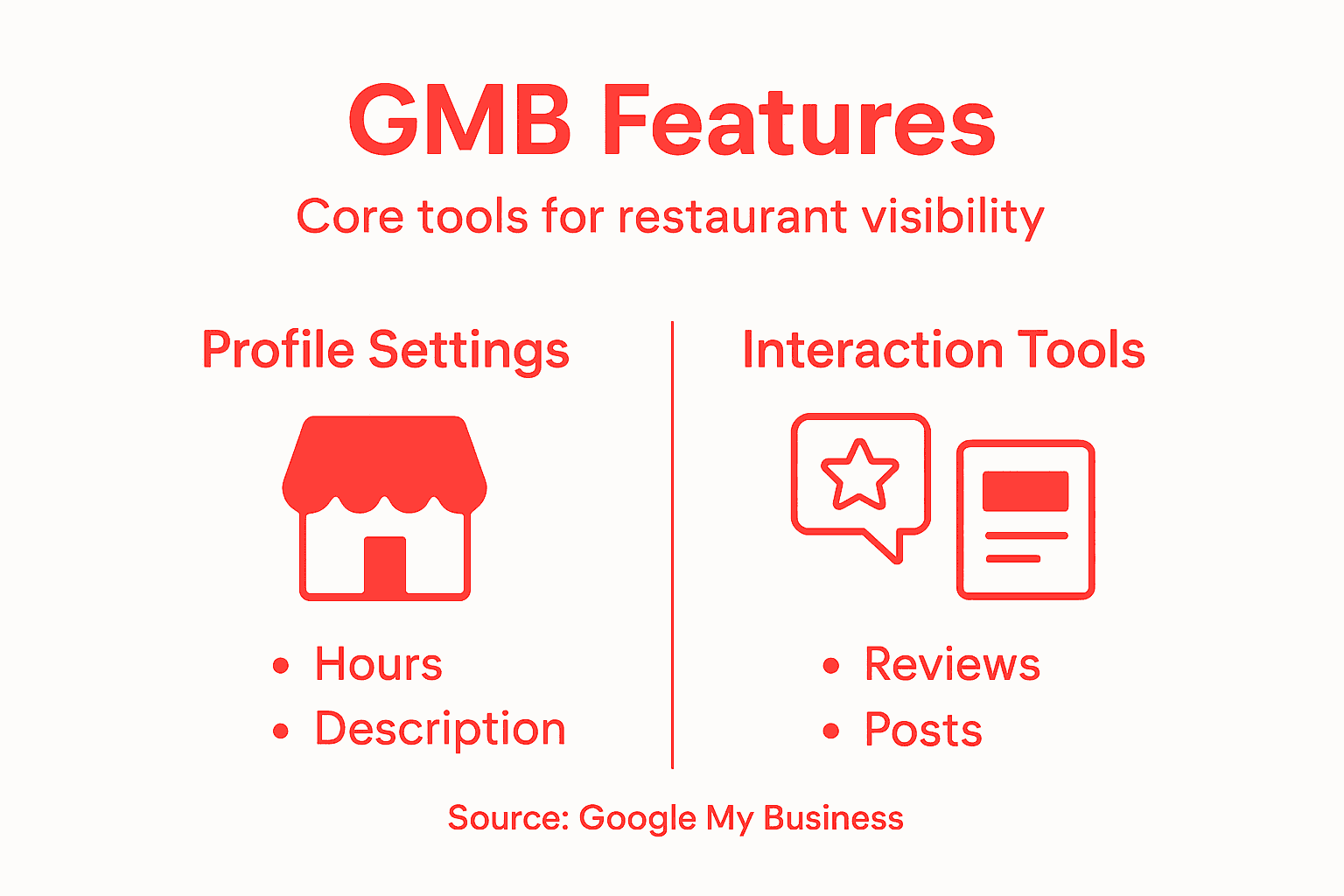
When someone searches locally, Google’s algorithm pulls from your restaurant listing information to decide whether to show you in results. The more complete and accurate your listing, the better your chances of appearing in that coveted local pack—the three businesses that show up at the top of Google Maps results.
Here are the essential components of a working listing:
- Location and hours appear instantly when customers find you on Maps
- Menu items and photos give people a preview before they visit
- Customer reviews and ratings build trust and influence decisions
- Business description tells your story and highlights what makes you unique
- Contact information (phone, website, ordering links) drives immediate action
- Reservation and ordering links turn browsers into customers
The way these features work together matters. A great photo of your signature dish paired with positive reviews and accurate hours creates a complete picture. Without photos, you’re just text on a screen.
Google also uses your listing to track customer behavior. When people click your phone number to call, request directions, or visit your website, Google sees that engagement. High engagement signals to Google that your listing is relevant and trustworthy.
Complete listings with photos, hours, and menu information rank significantly higher in local search results than listings with minimal information.
Your description is where personality comes in. Don’t just write “Italian restaurant.” Tell people what they’ll experience—the handmade pasta, the family recipes passed down three generations, the cozy corner booth where regulars sit.
Updates and posts keep your listing fresh. Announcing happy hour specials, new menu items, or weekend events directly reaches people searching for you right now.
Pro tip: Fill out every single field in your profile, especially the business description and category. Partial listings confuse Google’s algorithm and limit how high you can rank in local searches.
Here’s a summary of how optimizing key Google My Business features affects your restaurant’s success:
| GMB Feature | Benefit to Restaurant | Impact on Visibility |
|---|---|---|
| Accurate Hours | Prevents missed business | Ranks higher in local results |
| Quality Photos | Boosts customer interest | Increases search engagement |
| Responding to Reviews | Enhances reputation | Builds customer trust |
| Menu & Reservation Links | Drives faster conversions | Encourages direct bookings |
| Consistent Info | Reduces confusion | Strengthens search ranking |
Claiming, Verifying, and Optimizing Your Listing
Claiming your Google My Business listing is the first critical step. Without claiming it, you have no control over what appears under your restaurant’s name. Google allows anyone to create or edit information, which means old data, competitor interference, or simple errors can damage your reputation.
Start by visiting Google My Business and searching for your restaurant by name. If it exists, you’ll see an option to claim it. If it doesn’t, you’ll create a new listing from scratch.
The claiming process requires verification to prove you actually own the business. Google typically sends a postcard to your restaurant address with a verification code. This usually takes 1-2 weeks, though some locations can verify instantly through phone or email.
Here’s what the verification process looks like:
- Complete your business information during the claim process
- Choose your verification method (postcard, phone, email, or instant)
- Receive and enter the verification code
- Gain full access to edit and manage your listing
Once verified, optimization begins. This is where local SEO strategies for restaurants become essential for maximizing visibility.
Start with these optimization priorities:
- Add high-quality photos of your food, interior, and team
- Write a detailed business description that includes what makes you unique
- Verify and update your hours, address, and phone number
- Add your menu link and reservation or ordering system
- Choose the most accurate business categories
- Post regular updates about specials, events, or new menu items
Your business description deserves serious attention. Use keywords naturally—mention your cuisine type, neighborhood, and specialty dishes. A taco restaurant in Austin might write: “Family-owned taquería serving authentic Yucatecan tacos and fresh agua fresca in downtown Austin since 2015.”
Restaurants that add photos and update their listings monthly receive 2-3 times more customer engagement than those that don’t.
Photos are your visual sales pitch. Include shots of your best dishes, the dining atmosphere, and your team in action. Customers scroll through photos before deciding whether to visit.
Keep your hours accurate—nothing frustrates customers more than arriving to find you closed. Update your hours during holidays and special events.
Pro tip: Upload at least 5-10 photos immediately after claiming your listing, then add new photos monthly. Consistent visual updates signal to Google that your business is active and engaged.
Managing Reviews and Responding to Customers
Reviews are the lifeblood of your restaurant’s online reputation. A five-star review with a comment about your friendly service sells more effectively than any advertisement you could write yourself.
Google displays your overall rating prominently across search results and Maps. A restaurant with 4.8 stars and 200 reviews gets clicked far more often than one with 4.2 stars and 20 reviews. That star rating is a trust signal that influences whether someone even considers visiting.
But here’s what most restaurant owners miss: responding to reviews is just as important as the reviews themselves. Actively responding to customer feedback shows you care and builds trust with potential customers reading your listing.
When responding, follow these guidelines:
- Thank customers for positive reviews within 24-48 hours
- Address negative reviews professionally and offer solutions
- Keep responses brief, warm, and on-brand
- Never get defensive or argumentative
- Offer to take conversation offline for serious issues
- Show personality while remaining professional
A customer leaves a one-star review saying the service was slow. Instead of ignoring it, you respond: “We’re sorry your experience wasn’t up to our standards. We’ve addressed this with our team. Please call us directly so we can make it right.” That response shows other potential customers you take feedback seriously.
Positive reviews deserve love too. Responding with something genuine like “Thank you, Sarah! We’re thrilled you loved the salmon. See you next time!” makes customers feel appreciated.
Restaurants that respond to every review see 25% more customer engagement and higher conversion rates than those that ignore feedback.
Use reviews as actionable insights. If three people mention slow service on Friday nights, you have specific information to act on. If multiple customers rave about your new appetizer, feature it more prominently on your menu and in marketing.
Google’s review insights dashboard shows you patterns. You can see which reviews drive calls, direction requests, or website visits. This tells you what messaging actually resonates.
Never fake reviews or ask friends and family to post five stars. Google detects patterns and penalizes listings with suspicious review activity.
Pro tip: Set a weekly reminder to check and respond to new reviews. Consistency matters more than speed. A thoughtful response three days later beats a rushed response the same day.
Common Pitfalls and How to Avoid Them
Many restaurant owners set up their Google My Business profile and then forget about it. That’s when problems start multiplying. Small mistakes early on can tank your visibility months later.
The biggest mistake is leaving your profile incomplete. Missing hours, outdated phone numbers, or a generic description sends the message that you don’t care. Potential customers move on to competitors who look more professional.
Here are the mistakes that hurt restaurants most:
- Incomplete or inaccurate business information
- Poor quality or blurry photos
- Ignoring customer reviews entirely
- Duplicate listings across multiple Google accounts
- Inconsistent information across platforms
- Never posting updates or new content
- Wrong business category or too many categories
Duplicate listings are surprisingly common. You might have created a profile years ago, forgotten about it, then created a new one. Now Google is confused about which is the real business. Consolidating duplicate listings is critical for maximizing your visibility.
To find duplicates, search your restaurant name on Google Maps. If multiple entries appear, you need to merge them into one authoritative listing. Google’s support team can help consolidate accounts.
Photo quality matters more than you’d think. A blurry iPhone photo of your pasta looks unprofessional. Your best dishes deserve professional-looking photos. You don’t need an expensive photographer—good smartphone lighting works.
Inconsistent information across Google My Business, your website, and Facebook creates confusion. Your address, phone number, and hours must match everywhere. Google notices discrepancies and ranks you lower.
Restaurants with complete, accurate, and consistent information rank 40% higher in local search results than those with gaps or errors.
Another pitfall: choosing wrong business categories. You can pick up to 10 categories, but choose carefully. If you pick “Bakery” when you’re primarily a restaurant, Google sends you the wrong type of customer.
Not updating your profile signals inactivity. Post at least twice monthly about specials, new menu items, or events. These posts reach people actively searching for restaurants right now.
Pro tip: Audit your profile monthly against your actual business—verify hours are still accurate, photos are current, and contact information works. Set phone reminders for the first of each month.
Common pitfalls can undermine your Google My Business effectiveness. See how to avoid them below:
| Mistake Type | Negative Outcome | Best Prevention Action |
|---|---|---|
| Inaccurate Details | Lost customers | Monthly info audits |
| Poor Photo Quality | Deters new visitors | Use well-lit, current images |
| Ignoring Reviews | Declining trust and engagement | Respond consistently and promptly |
| Duplicate Listings | Lowered ranking, data confusion | Merge all profiles into one |
| Wrong Categories | Attracts wrong audience | Choose focused, relevant categories |
Elevate Your Restaurant’s Local Presence with Expert Marketing Support
Struggling with incomplete Google My Business profiles or inconsistent local information can mean losing customers before they even walk in the door. This article highlights how key steps like accurate details, quality photos, and active review management transform your restaurant’s visibility. Now imagine having an all-in-one marketing solution tailored specifically for local businesses like restaurants that takes these challenges off your plate.
Discover how Sorbey helps you claim, optimize, and maintain your Google My Business listing while boosting your local SEO efforts effortlessly. Don’t let outdated info or poor engagement hold you back from attracting hungry customers right in your neighborhood. Take control today and see why restaurants relying on all in one marketing for local business like restaurants experience higher rankings and increased bookings. Visit Sorbey’s landing page now and transform your online presence.
Frequently Asked Questions
What is Google My Business and how does it help restaurants?
Google My Business is a free tool that allows restaurants to manage their online presence on Google Search and Google Maps. It helps potential customers find crucial information such as location, hours, menu, and reviews, making your restaurant more visible in local searches.
How can I optimize my Google My Business listing for better visibility?
To optimize your listing, ensure all information is complete and accurate, including business hours and contact details. Add high-quality photos, a compelling business description, and utilize features like menu and reservation links. Regularly update your profile with posts about specials or events.
Why are reviews important for my restaurant’s Google My Business profile?
Reviews significantly impact your restaurant’s online reputation. They influence potential customers’ decisions and affect your visibility in search results. Positive reviews enhance trust, while timely responses to all reviews (positive or negative) show that you value customer feedback.
What common mistakes should I avoid with my Google My Business listing?
Common mistakes include leaving your profile incomplete, using poor-quality photos, ignoring customer reviews, and having inconsistent information across platforms. Additionally, ensure there are no duplicate listings, as these can confuse potential customers and hinder your visibility.
Recommended
Vous pourriez aussi aimer

Best Restaurant Loyalty Programs 2026: ROI Guide
Discover the best restaurant loyalty programs 2026 that boost repeat visits. Learn how Sorbey’s platform can transform your guest data strategy!

Why Mobile Marketing Matters for Business Growth
Discover why mobile marketing matters for business growth. Learn how optimizing for mobile drives traffic, conversions, and customer retention.

SF Dim Sum Restaurant Marketing Checklist for 2026
Transform your SF dim sum with our 2026 marketing checklist. Optimize your profile, showcase dishes, and attract customers fast!